



Voice Dream Reader is a text-to-speech app for people with reading disabilities or people who just prefer to listen to text. The app costs $4.99 in the App Store. Click here to download the app. Voice Dream Reader can extract text from ePub, PDF, Word, Pages, Keynote and web pages and then read them aloud using text-to-speech with synchronized highlighting. Watch the above video to learn more. Voice Dream Reader comes pre-loaded with the Heather voice, but additional voices can be purchased for $0.99. One downside is that all text formatting and all images are extracted and not visible.
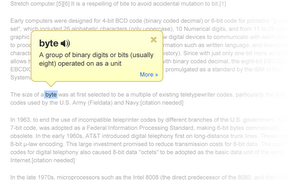
While reading a document you can change the speech rate, text size and background color. While reading a document it is easy to skip around in the text and look up words. The app cannot read the definitions so you will need to turn on VoiceOver. It is unfortunate that the app does not read the definition because some people may not be familiar with VoiceOver. Voice Dream Reader can be synced with a number of cloud services including Dropbox to get documents into the app.
In all Voice Dream Reader is a solid app. For some, the built in Speak Selection feature may be good enough. With iOS 6 coming in the fall, Speak Selection will have syncronized highlighting which will make some features of Voice Dream Reader obsolete. If you want the ability to create playlists or read with multiple voices this app is for you.
Click read more below to view screenshots of Voice Dream Reader in action.




.PNG)
